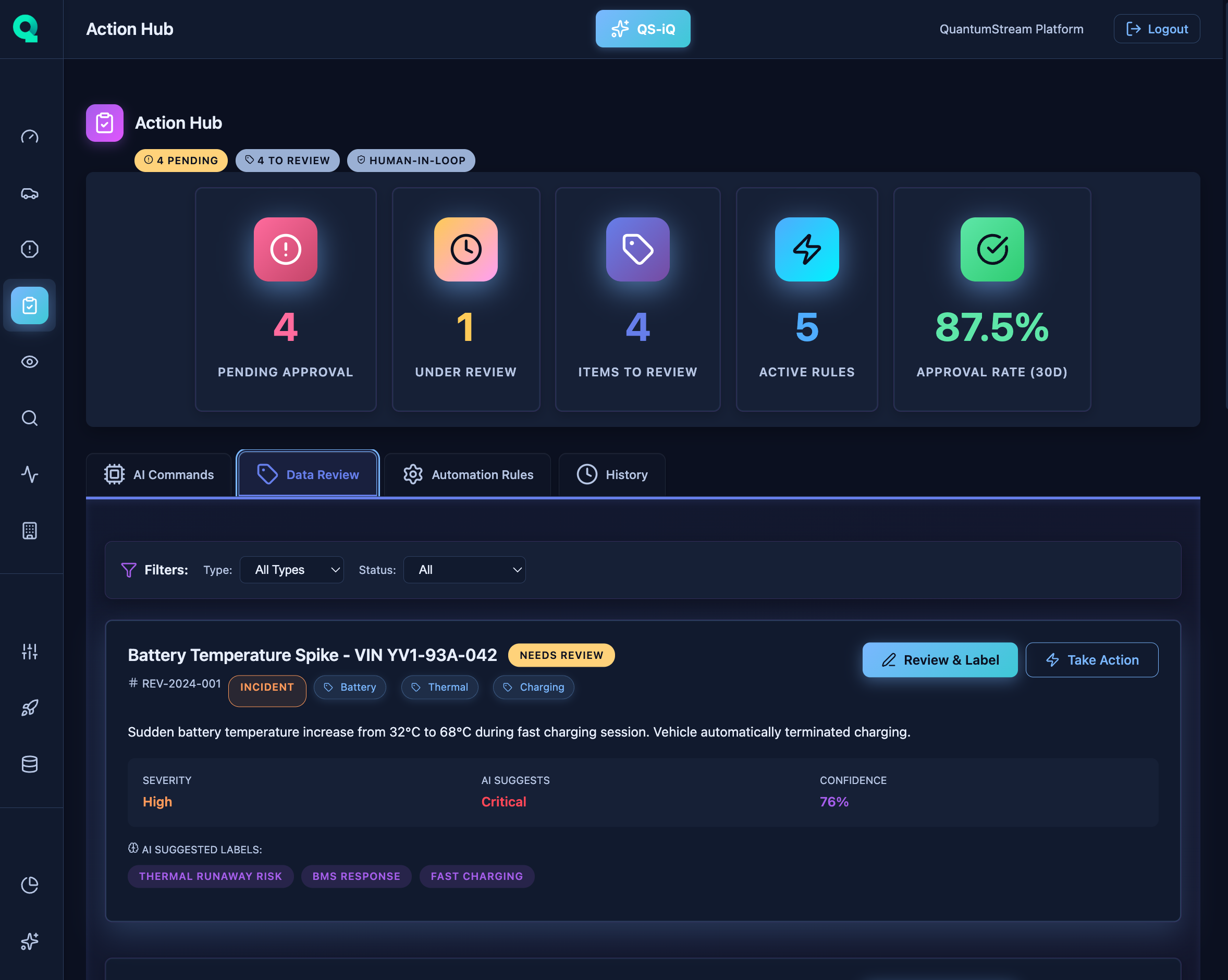
Centralized command center for fleet operations. Trigger actions on individual vehicles or entire cohorts. Schedule service, enable targeted data capture, deploy OTA updates, manage alerts, and execute remediation workflows—all from one unified interface.
Schedule maintenance appointments for at-risk vehicles. One-click bulk scheduling for cohorts. Integration with service center capacity, parts inventory, and technician availability.
Enable deep telemetry capture on specific vehicles. Configure signal lists, sampling rates, and duration. Capture diagnostic data without affecting entire fleet bandwidth costs.
Deploy software updates, calibration changes, and rule packages. Staged rollout with A/B testing. Rollback capability. Track deployment status per VIN with success/failure metrics.
Configure alert rules, notification channels (email, SMS, webhook), escalation policies, and acknowledgment workflows. Suppress alerts during maintenance windows.
Apply actions to entire vehicle cohorts: by model, software version, manufacturing batch, geographic region, or custom filters. Bulk operations with progress tracking.
Create multi-step remediation workflows. Example: Detect thermal anomaly → Enable capture → Notify technician → Schedule service → Deploy calibration fix. Conditional branching.
Multi-tier approval for critical actions. Manager approval for bulk operations, executive approval for recalls. Audit trail with timestamps, approvers, and rationale.
Complete log of all actions taken. Who, what, when, why. Link actions to incidents and outcomes. Track efficacy: action → incident resolution time, success rate.
Schedule Service: Book appointment at nearest service center.
Emergency Tow: Dispatch roadside assistance.
Service Reminder: Send maintenance notification to customer.
Enable Deep Capture: Collect K=400 signals at 10Hz for 24 hours.
One-Time Snapshot: Upload current state of all signals.
Video Request: Trigger dash cam upload if equipped.
Deploy Rule: Push new event detection rule to edge.
Update Calibration: Adjust thermal management parameters.
Software Update: Deploy firmware or application updates.
Customer Notification: Send in-app or email message.
Alert Escalation: Notify manager or executive.
Supplier Contact: Auto-generate supplier quality issue report.
Limit Charge Rate: Reduce max charging speed for battery protection.
Speed Governor: Temporarily limit top speed for safety.
Disable Feature: Turn off problematic feature remotely.
Recall Notification: Send regulatory recall notice.
Compliance Report: Generate audit documentation.
Evidence Collection: Gather logs and telemetry for investigation.
Take action on incidents in seconds, not hours. From detection to remediation in one platform. No context switching between tools.
Configure once, apply to thousands of vehicles. Automated workflows handle routine remediation. Human intervention only when needed.
Complete audit trail for regulatory compliance. Approval workflows prevent unauthorized actions. Link actions to incident outcomes for efficacy tracking.
Trigger: Battery pack temp >48°C
Step 1: Enable deep telemetry capture (K=400, 10Hz, 24h)
Step 2: Notify customer: reduce fast charging
Step 3: Schedule service within 7 days
Step 4: If temp >52°C: limit charge rate to 50kW
Step 5: Escalate to engineering team
Trigger: Coolant pump batch B457 failure rate >5%
Step 1: Identify all VINs with batch B457 (287 vehicles)
Step 2: Enable proactive monitoring rules
Step 3: Notify customers: free inspection offered
Step 4: Schedule preventive replacements
Step 5: Generate supplier quality report
Trigger: Regulatory recall issued
Step 1: Identify affected VINs by production date
Step 2: Send customer notifications (regulatory text)
Step 3: Deploy software mitigation if available
Step 4: Schedule service appointments
Step 5: Track completion rate, generate compliance reports
See how Action Hub enables rapid response and automation for fleet-wide remediation at scale.